Unbound: worked examples
Four worked-through examples for the guided Unbound settings - see the Unbound page for the concepts behind them.
Local DNS zones
The guided assistant under Unbound → Local zones creates A, AAAA, and CNAME records for devices on your network without writing any Unbound syntax by hand.
Goal: a zone home.lan with three hosts:
| Host | IPv4 | IPv6 | Derive PTR |
|---|---|---|---|
nas.home.lan |
192.168.178.20 |
– | yes |
printer.home.lan |
192.168.178.30 |
– | yes |
ap1.home.lan |
192.168.178.40 |
fd00::40 |
yes |
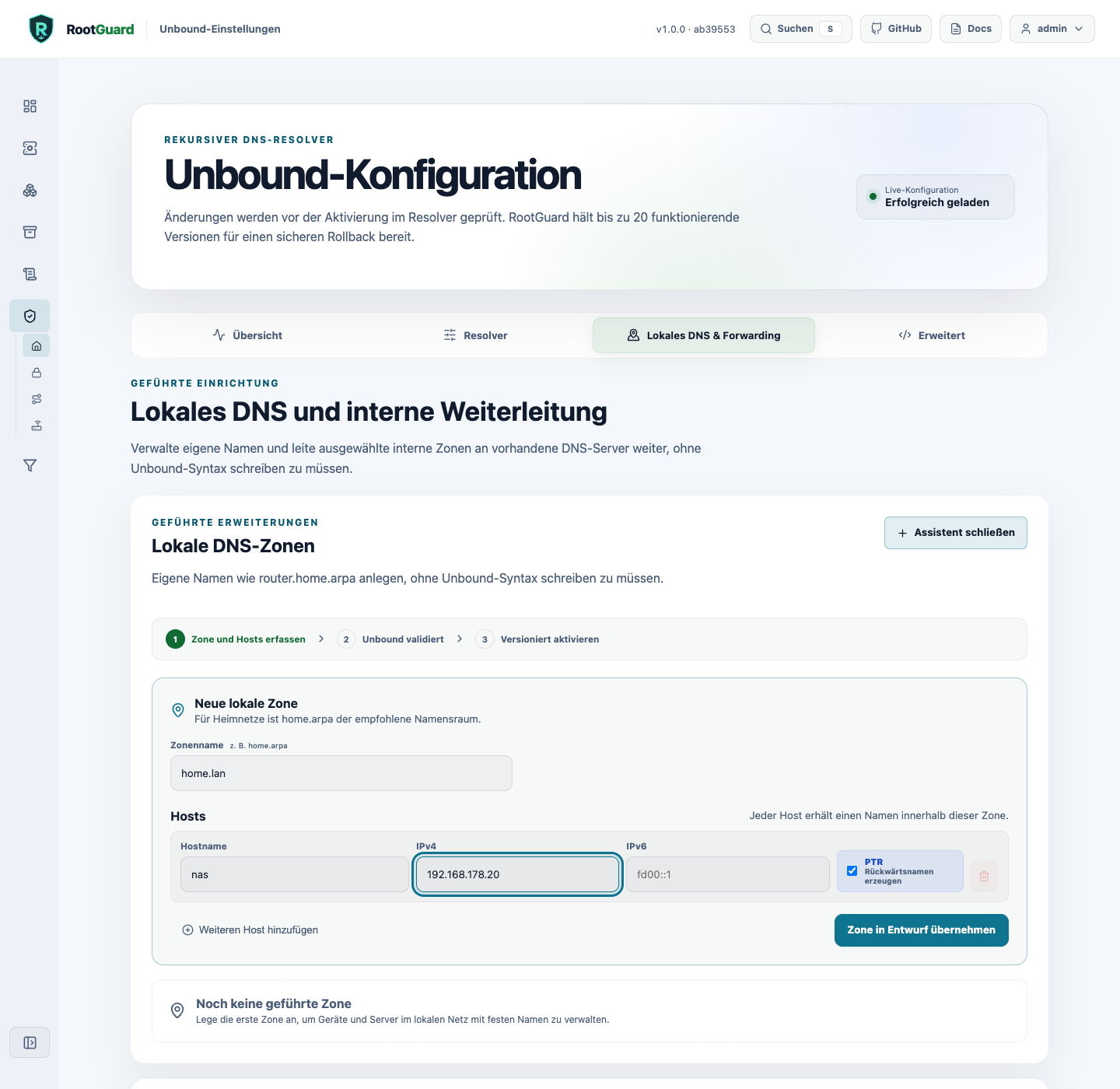
- Open Unbound → Local zones and create the zone
home.lan. - Add one entry per host with its name and address(es).
- Enable "Derive PTR record" per host. RootGuard automatically derives the matching reverse zone - provided the address is unambiguous across all guided zones.
- Review the change preview, then activate. RootGuard runs
unbound-checkconfagainst the effective configuration before anything goes live.
Limits of the guided surface
Per-host TTL and more complex CNAME chains are deliberately out of scope for this guided surface (issue #131) - use expert mode for those.
Conditional forwarding
Conditional forwarding sends queries for specific internal zones to your own DNS servers instead of resolving them recursively through the public root hierarchy.
Goal: forward the zone corp.example to two ordered servers: 10.0.0.53 (primary), 10.0.0.54 (secondary).
- Open Unbound → Conditional Forwarding and create the zone
corp.example, with both targets in this order. - RootGuard verifies both targets live against the running Unbound container: activation only unlocks once the zone is answered by a target with
NOERRORand a valid SOA record. - Optional opt-ins, each separately visible: recursive fallback, allow unsigned answers (
domain-insecure), allow private RFC1918 answers. - Activation goes through the same preview, checkconf, versioning, and rollback pipeline as any other Unbound change.
Loop detection
RootGuard refuses targets that would point back at RootGuard itself, AdGuard Home, or another already-configured forwarding zone.
Importing devices from your FRITZ!Box
Instead of creating every host manually, RootGuard can adopt known devices directly from your FRITZ!Box (TR-064). Credentials are only needed if your FRITZ!Box requires a login.
- Open Unbound → Local zones → Import from FRITZ!Box and enter the FRITZ!Box address (e.g.
192.168.178.1). - RootGuard queries the device list and shows a draft with hostname, detected addresses, and conflicts.
- Individually select which devices to adopt. Nothing is imported automatically; hostnames can be renamed before adoption.
- Adopted hosts go through the same preview, checkconf, and activation pipeline as manually created local zones.
Alternative without a FRITZ!Box: reverse-DNS discovery via an explicit CIDR prefix (e.g. 192.168.178.0/24) - only private IPv4/unicast IPv6 prefixes, max. 256 addresses in total, 16 parallel lookups sharing a 15-second deadline.
Privacy
FRITZ!Box credentials are used server-side only, for that one lookup - never stored in the browser, never logged.
Private domains and reverse DNS
RootGuard decides independently, for each of the three private RFC1918 ranges (10/8, 172.16/12, 192.168/16), how reverse lookups are handled: NXDOMAIN (default, safe) or transparent public fallback (with a visible warning before activation).
Example: deliberately letting 192.168.178.0/24 resolve publicly while leaving 10/8 and 172.16/12 on NXDOMAIN:
- Open Unbound → Private Domains.
- For
192.168/16, explicitly choose "Transparent fallback". - Confirm the warning and activate - goes through the same preview and checkconf verification as any other Unbound change.
If you instead just want 192.168.178.20 to resolve as nas.home.lan, this is the wrong place for that - see Local DNS zones above: derived PTR records work independently of this range-wide setting.
See also
- Local DNS on the home network - the concepts behind these examples, independent of RootGuard.
- Getting started with RootGuard - if you're still at the beginning.